FundFlow - Offline Budget Planner & Expense Tracker for Android
FundFlow - Offline Budget Planner & Expense Tracker for Android





FundFlow is a modern, privacy-focused, offline-first personal finance manager and daily budget planner for Android. Break away from rigid monthly limits, track day-to-day spending with custom cycles, analyze your financial trends with high-contrast charts, and keep your financial data 100% private.
📥 Download FundFlow Android APK
Get the latest stable release APK directly:

💡 Release Archives: View all version changelogs and previous builds in the GitHub Releases section.
📱 App Screenshots
🌟 Overview
FundFlow is a premium personal finance and expense tracking utility designed for users who demand both flexibility and strict privacy. Built with a “User-First” philosophy, FundFlow breaks away from the rigid monthly constraints of traditional budget apps, allowing you to manage your money according to your life’s actual rhythm.
It is a 100% Native Android application built using the latest modern tech stack (Kotlin & Jetpack Compose), ensuring a fluid, high-performance experience without any bloatware or background battery drain.
📖 The Story Behind FundFlow
The inspiration for FundFlow came from a gap in the market. Most budget trackers force you into a strict 1st-to-30th calendar month cycle. But life doesn’t always work that way. Whether you get paid bi-weekly, manage a project-based budget, or just want to track a specific vacation fund, traditional apps feel restrictive.
Furthermore, many popular finance apps require you to link your bank accounts or upload your sensitive financial data to their servers. As a developer, I wanted a tool that:
- Adapts to me: Let me define my own start and end dates.
- Protects my data: Keep everything on my device, with cloud backups being a choice, not a requirement.
- Looks Professional: Provide high-end analytics that actually make sense.
So, I built FundFlow to be the professional financial companion I wanted for myself: Open Source, Offline, and Fully Private.
✨ Key Features
📅 Custom Budget Cycles
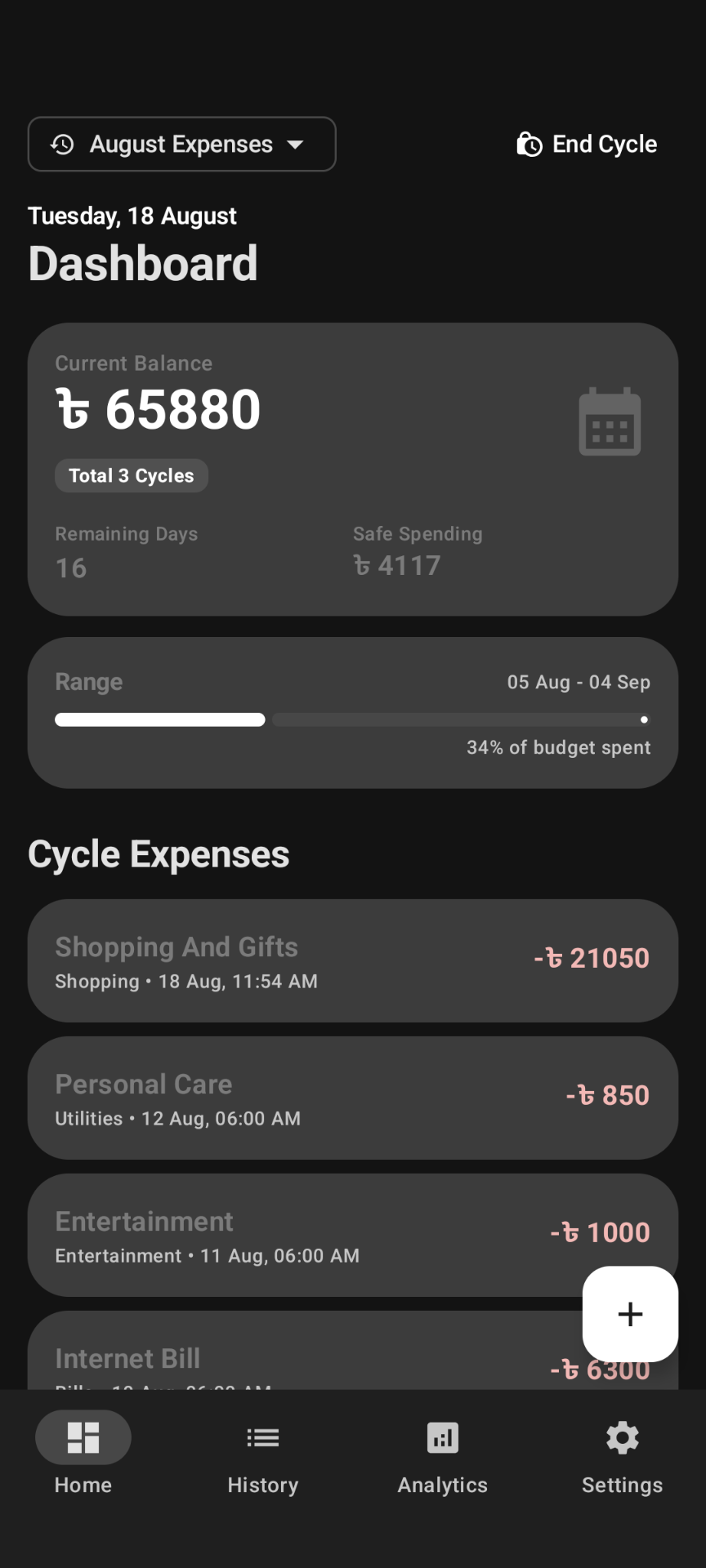
Forget rigid calendar months. FundFlow allows you to define your own budget periods—whether it’s weekly, bi-weekly, or custom project date ranges. The app dynamically calculates your balance, daily “Safe Spending” buffer, and overall progress based on your unique cycle dates.
📊 Professional Analytics & Insights
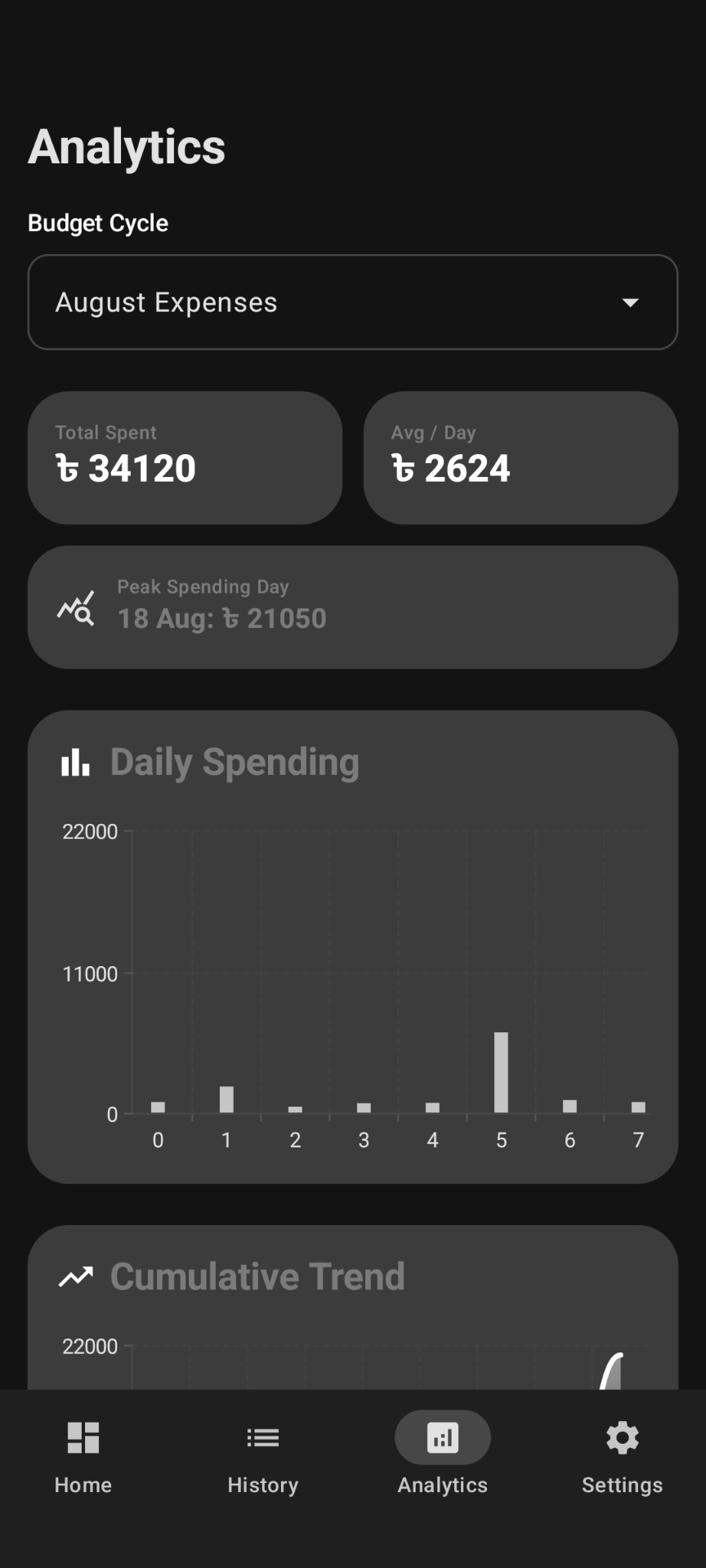
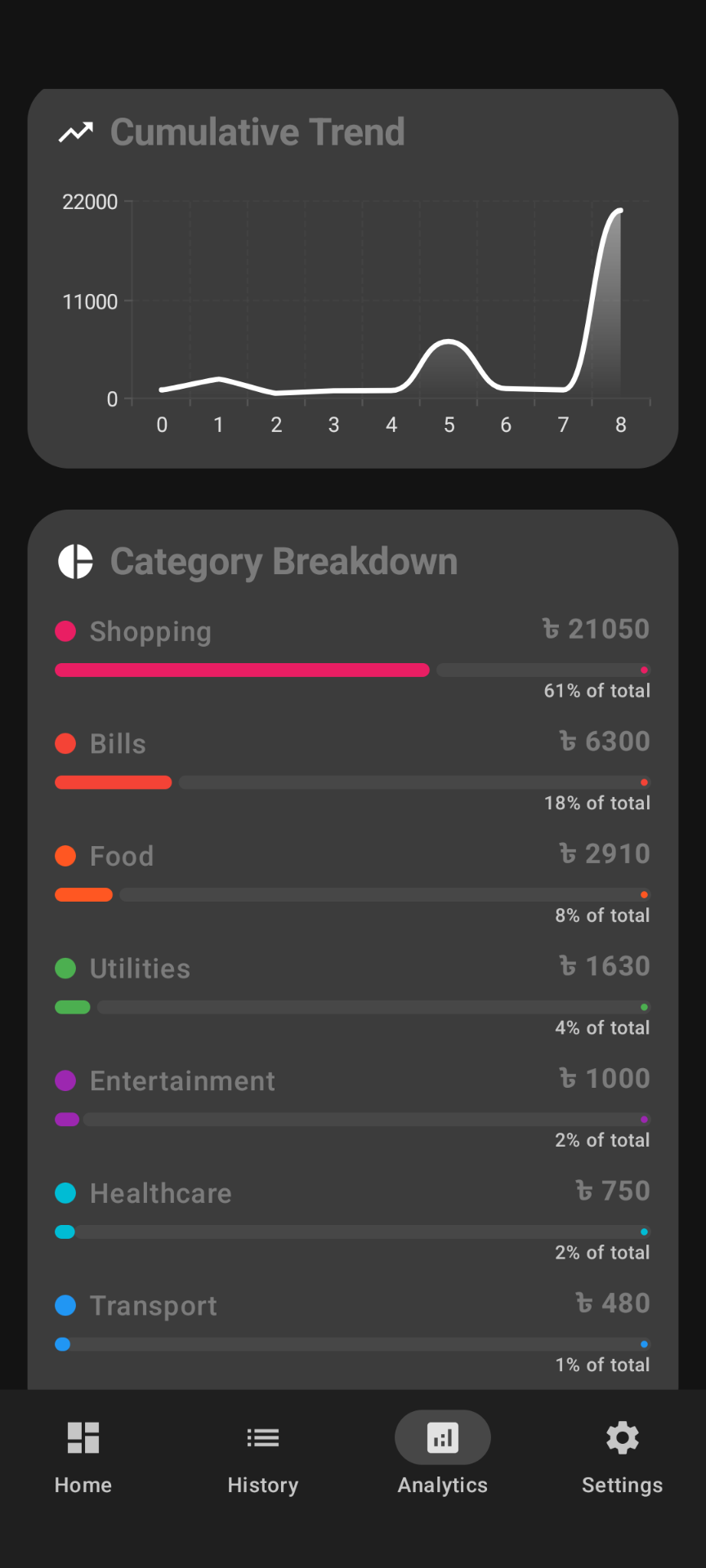
Powered by Vico Charts, visualize your financial health with high-end charts optimized for clarity:
- Daily Spending: High-contrast bar charts to track day-to-day fluctuations.
- Cumulative Trends: Smooth line charts showing the “flow” of your total spending over time.
- Category Breakdown: Interactive progress bars that show exactly where your money is going.
☁️ Robust Backup & Restore System
Never lose your financial history with our comprehensive backup suite:
- Local Backup: Securely export your data as encrypted JSON files to the public
Downloads/FundFlow_Backupsfolder for easy manual management. - Google Drive Integration: Seamlessly sync your data to your private Google Drive for maximum security.
- Automatic Backups: Powered by WorkManager, FundFlow can perform silent background backups periodically, ensuring your data is always safe without you lifting a finger.
🌓 Advanced Personalization (Theme Engine)
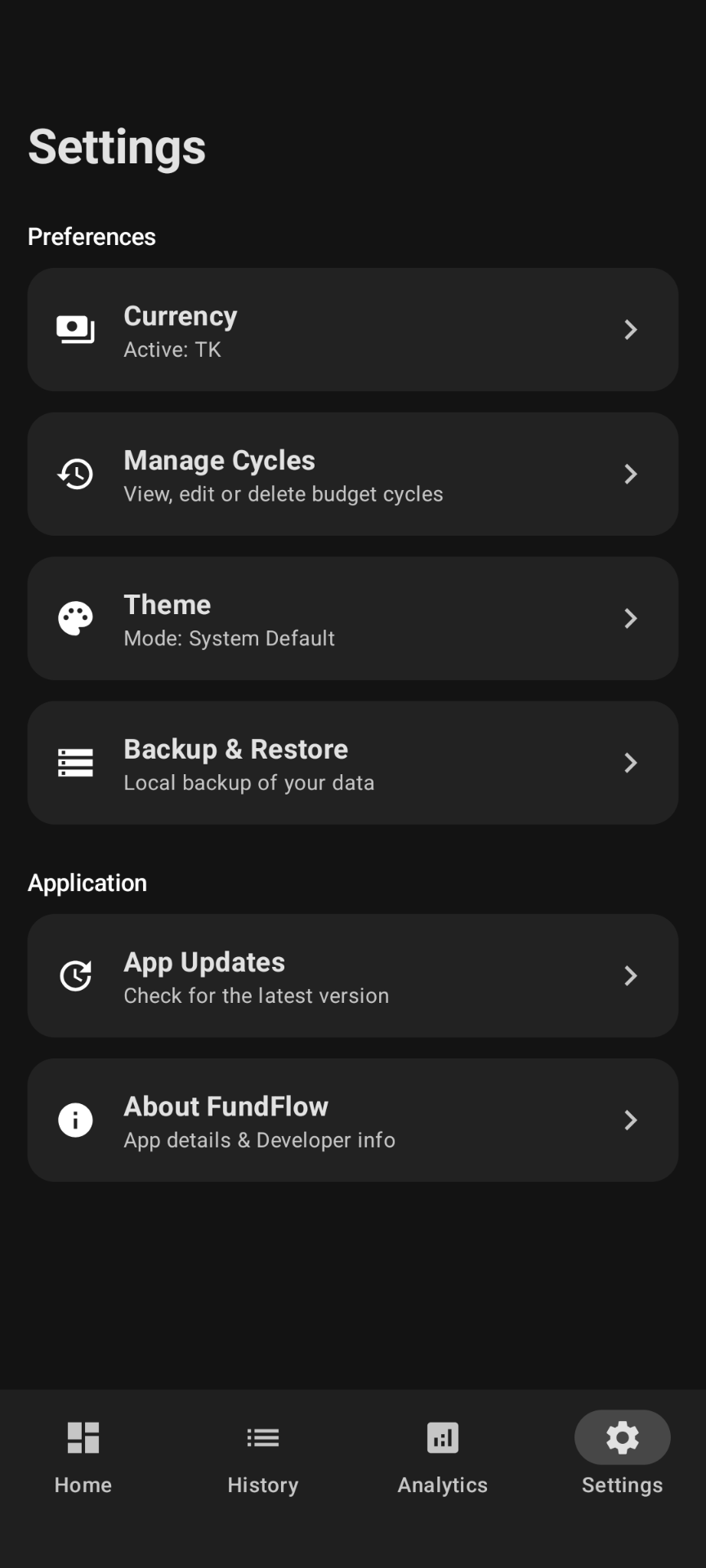
A truly professional app should look great in any lighting. FundFlow features a dedicated Theme Selection menu:
- System Default: Automatically matches your phone’s global theme.
- Dark Mode: A battery-saving, eye-friendly high-contrast dark UI.
- Light Mode: A crisp, clean white UI with optimized system status bars (clock/icons correctly tinted for visibility).
📝 Professional Note Editor & Smart Auto-Sum
Add context to your expenses with our advanced note-taking feature:
- Automatic Lists: Start a line with
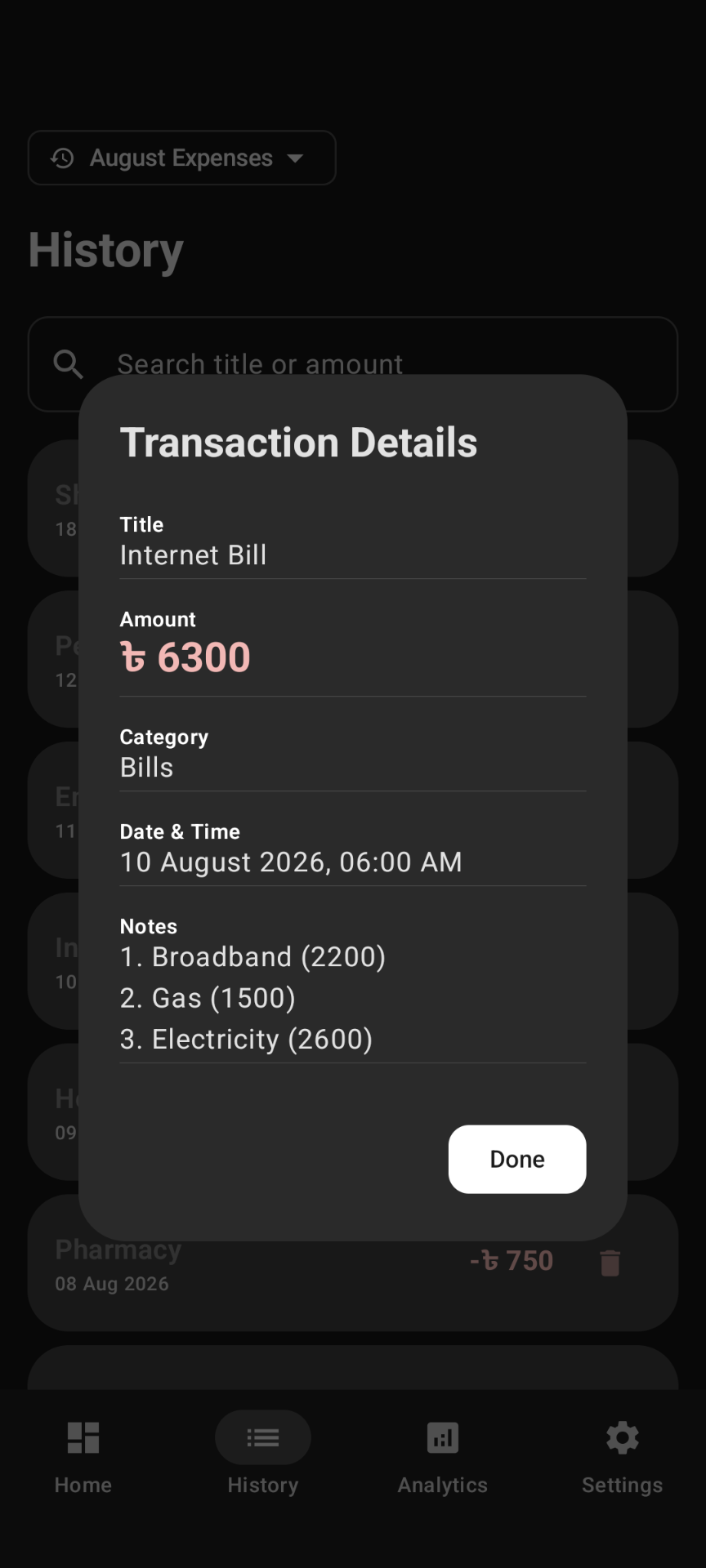
1.or-and FundFlow will automatically continue the numbering or bullet points on the next line. - Smart Auto-Sum: Mention amounts in parentheses within your notes (e.g.,
(500) (100)) and FundFlow will automatically sum them up into the expense amount field.
🚀 Seamless In-App Updates
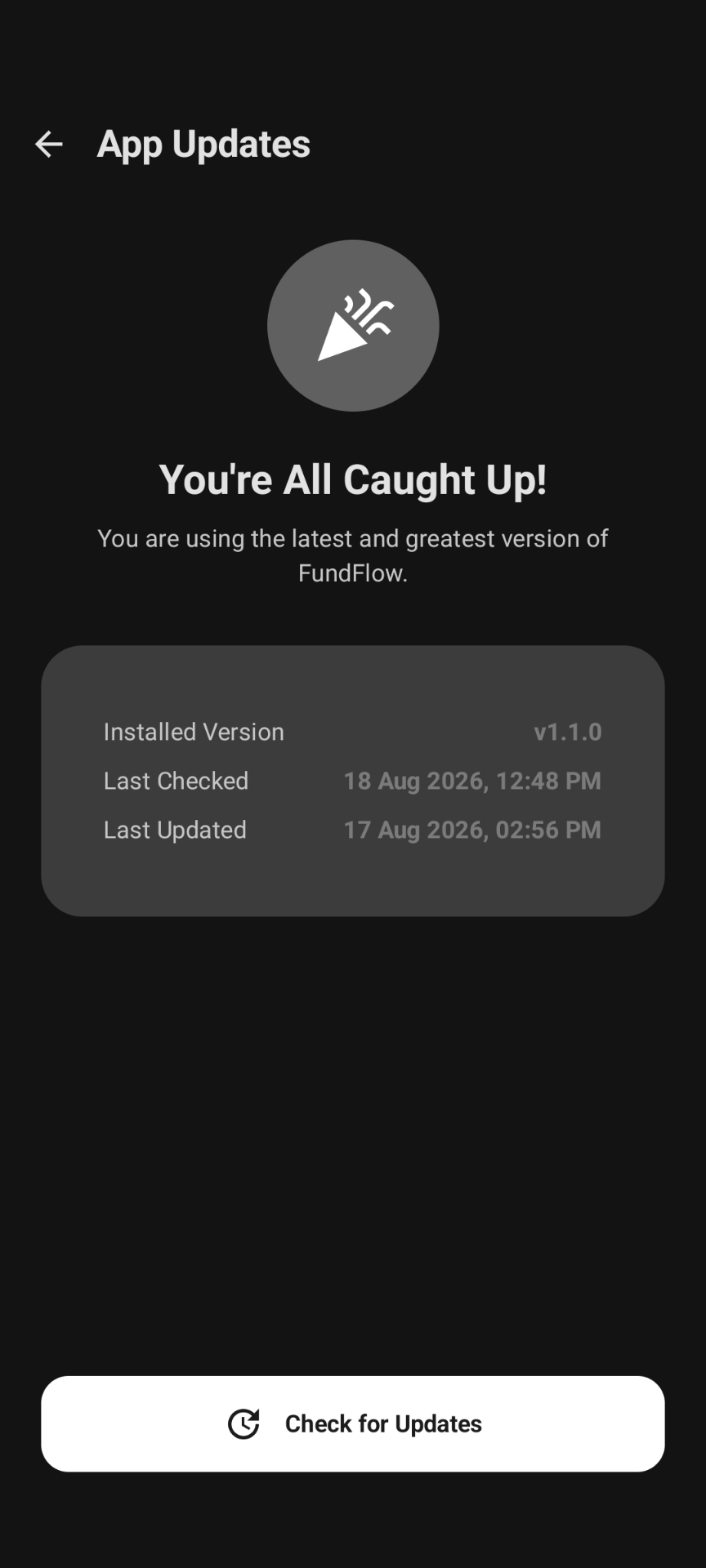
Stay ahead with the latest features. FundFlow includes a dedicated App Update screen that checks the GitHub Releases API and handles the download and installation process automatically via a background BroadcastReceiver.
🌐 100% Privacy & Offline-First
Your financial data belongs to you, not a server. FundFlow works entirely offline and collects zero personal data. Cloud features like Google Drive are strictly opt-in and controlled by you.
🛠️ Technical Details & Compatibility
- Minimum Version: Android 8.0 (API 26)
- Target Version: Android 15 (API 35)
- Language: Kotlin 2.1.0+ (100% Native)
- UI Framework: Jetpack Compose with Material 3
- Architecture: MVVM + Clean Architecture
- Dependency Injection: Hilt
- Database: Room SQLite (Offline-first local persistence)
- Background Tasks: WorkManager (For auto-updates and auto-backups)
- Charts: Vico (High-performance charting)
🚀 How to Use
- Download & Install the APK from the Download Section.
- Create a Cycle: Set your budget amount and your preferred custom date range.
- Log Expenses: Add your daily spending with categories, tags, and smart notes.
- Manage Cycles: Access “Manage Cycles” in Settings to view your history, edit active budget ranges, or delete old periods.
- Track Progress: Use the Dashboard to see your “Safe Spending” amount per day to stay on budget.
- Analyze: Visit the Analytics tab to visualize your cash flow and category breakdown.
🛡️ Privacy & Security
This app is designed to be a “Vault” for your financial data:
- Data Collection: Zero. We do not track your spending, location, or personal identity.
- Permissions:
INTERNET: Only used for user-initiated Google Drive backups and checking GitHub app updates.POST_NOTIFICATIONS: Used only to alert you if a scheduled background backup fails.
- Encryption: All local data is stored within the application’s secure sandbox.
📄 License
This open-source project is licensed under the MIT License - see the LICENSE file for details.
👨💻 Developer & Connect
Shawon Talukder
Software Engineer at Green Delta Insurance PLC
Crafted with care, focus on performance, and privacy-first architecture. Feel free to connect for collaborations, freelance projects, or feedback!



Developed with ❤️ for the Android & Open-Source Community.